Use the Northstar API to access workspace data and build integrations with your own systems.
Webhooks let Northstar notify your application when important events happen.
Base URL
https://api.northstar.example/v1
Authentication
Northstar uses bearer tokens for API authentication.
Include your API token in the Authorization header.
Authorization: Bearer YOUR_API_TOKEN
Treat API tokens like passwords.
Never include an API token in client-side JavaScript, public source code, screenshots, or documentation.
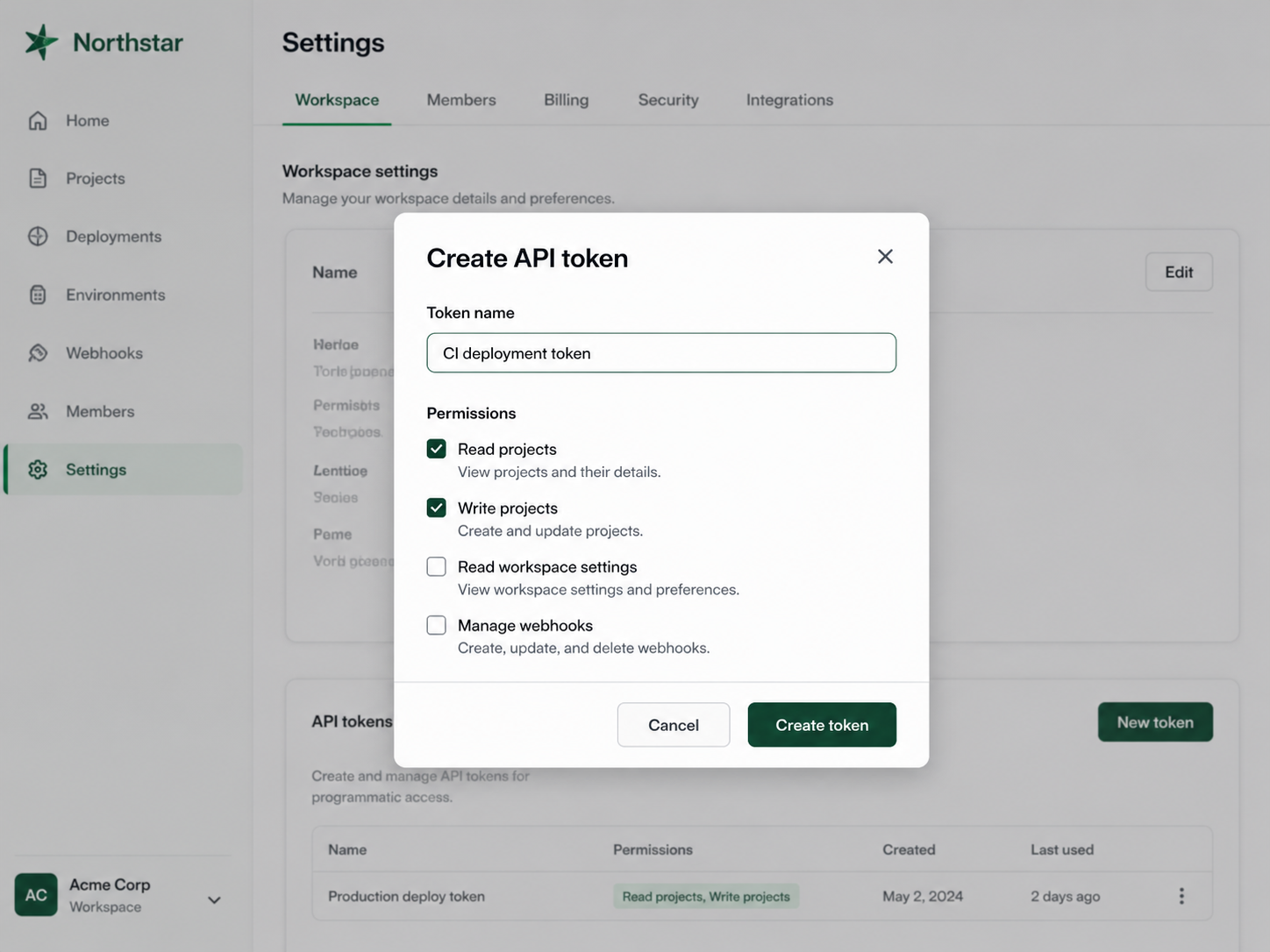
Create an API token
Open Settings.
Select Developers.
Select API tokens.
Select Create token.
Enter a descriptive name.
Select the permissions the token requires.
List projects
GET /projects
Example request:
curl https://api.northstar.example/v1/projects \
  -H "Authorization: Bearer YOUR_API_TOKEN"

Example response:

[CODE BLOCK]

{
  "data": [
    {
      "id": "prj_8f31k2",
      "name": "Customer Portal Launch",
      "status": "on_track",
      "target_date": "2026-09-30"
    }
  ]
}
Common response codes
Code | Meaning |
|---|---|
200 | Request completed successfully |
201 | Resource created successfully |
400 | Request was invalid |
401 | Authentication failed |
403 | Token does not have permission |
404 | Resource could not be found |
429 | Rate limit exceeded |
500 | Unexpected server error |
Webhooks
Common webhook events include:
project.createdproject.updatedproject.status_changedproject.completedmilestone.completed
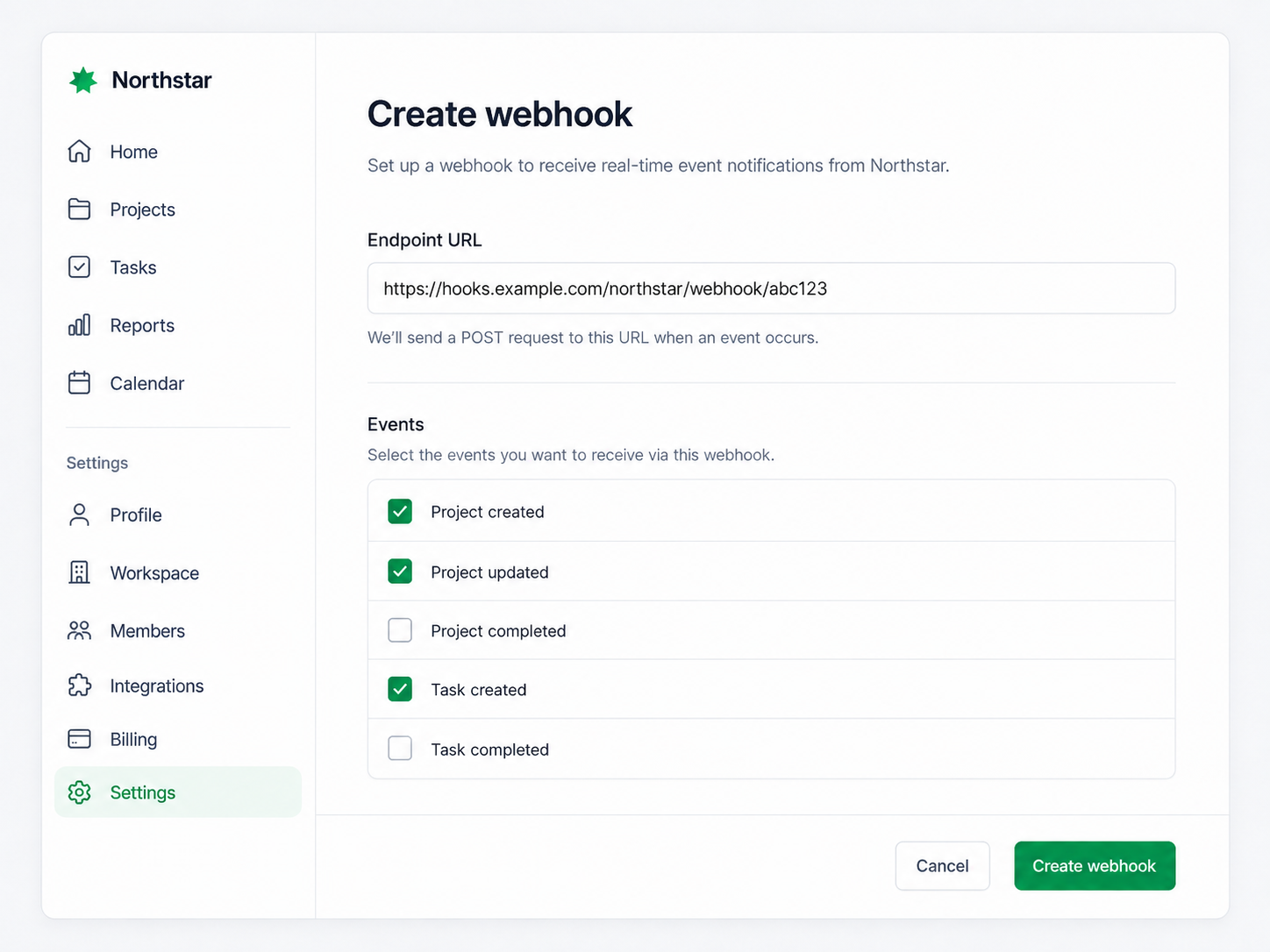
Create a webhook
Open Settings.
Select Developers.
Select Webhooks.
Select Create webhook.
Enter your HTTPS endpoint.
Choose the events you want to receive.
Select Create.
Example webhook
{
  "event": "project.status_changed",
  "created_at": "2026-08-13T14:32:18Z",
  "data": {
    "project_id": "prj_8f31k2",
    "name": "Customer Portal Launch",
    "previous_status": "on_track",
    "status": "at_risk"
  }
}
Secure your webhook endpoint
We recommend that your endpoint:
Uses HTTPS
Verifies the Northstar webhook signature
Responds quickly
Handles duplicate events safely
Do not rely on the order in which webhook events arrive.